SnowFit
5 Gym Automations That Will Save You 5 Hours Every Week
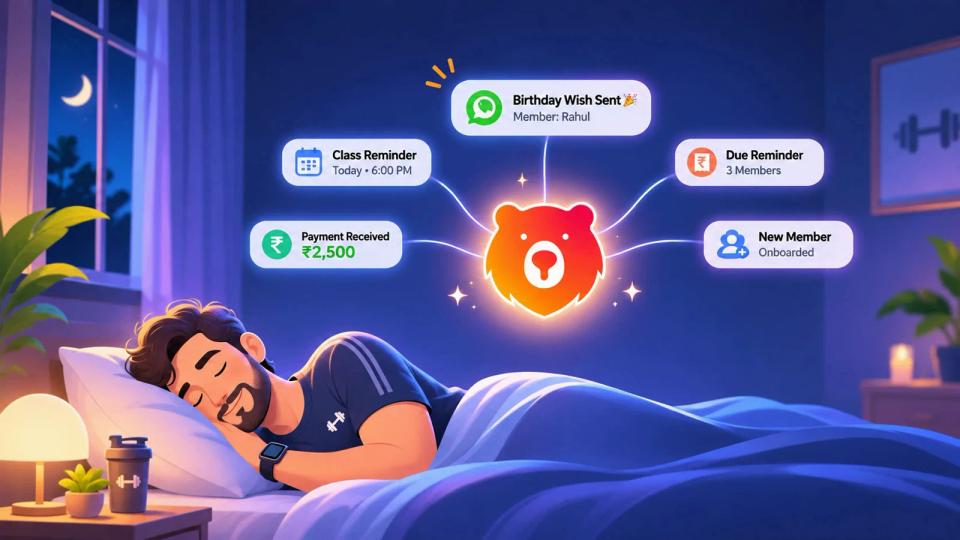
Most of the admin at a gym is the same handful of WhatsApp messages, typed again and again. Renewal reminders. A nudge about a pending fee, a welcome for the new joiner, a birthday wish, and the "haven't seen you in a while" message nobody gets round to sending. None of it is hard work. It just fills the gaps between the morning and evening batches. These five gym automations take those messages off your desk, and at a 200-member gym we worked out they're worth close to five hours a week.
What is gym automation?
Gym automation means your software sends the routine reminders and messages your staff would otherwise type by hand. You set a rule once, for example "remind members three days before their plan ends", and it runs every day on WhatsApp without anyone having to remember it.
In SnowFit, all of this lives in Brain, in the left menu. Each automation is a card. Open one, switch on Send automatically, pick a time, and that's the setup.
Where do the five hours go?
We sat down with a typical week at a 200-member gym and timed the messages that get typed by hand. Your numbers will be different, but the shape is usually the same.
| The job | A normal week at a 200-member gym | Time by hand |
|---|---|---|
| Renewal reminders | 28 messages, about 3 minutes each | 84 min |
| Chasing pending fees | 10 members, two follow-ups each | 80 min |
| Welcoming new members | 6 people | 30 min |
| Birthday wishes | 4 birthdays, plus checking the list most mornings | 25 min |
| Bringing back members who stopped coming | Finding them in the register, then 15 messages | 75 min |
| Total | 294 min |
That's a little under five hours, before anyone has added up the week's collection. A 60-member yoga studio will save less. A 500-member gym with two shifts will save a lot more.
5 gym automations that save the most time
1. Renewal reminders
Three Brain cards work as a set: Renewal — 7 Days, Renewal — 3 Days and Membership Expired. The first gives a member a week to plan the payment. The second catches the ones who forgot. The third goes out on the day the plan ends, so the conversation about renewing starts while they're still in the habit of coming.
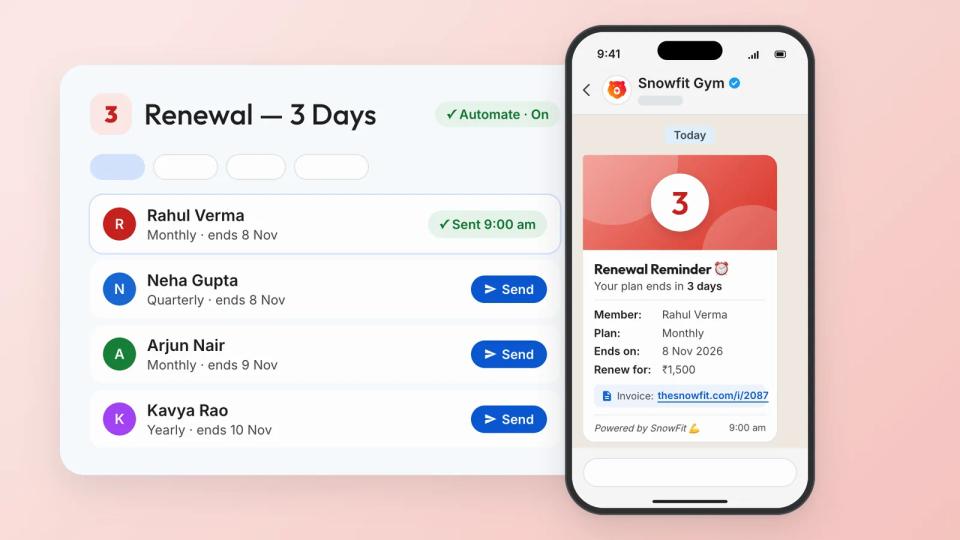
This is the one to switch on first, because it's the only automation here that brings money in directly. At a 200-member gym on a ₹1,500 monthly plan, every renewal you'd otherwise lose is ₹18,000 a year.
2. Payment Due
Payment Due lists every member with money pending, sorted into Overdue, Due today and what's coming up. Each reminder is written for you, with the amount, what it's for and the date: "₹1,800 for your 12 PT Sessions is due on 30 Nov. You can pay at the front desk, or reply here and we'll send UPI details."
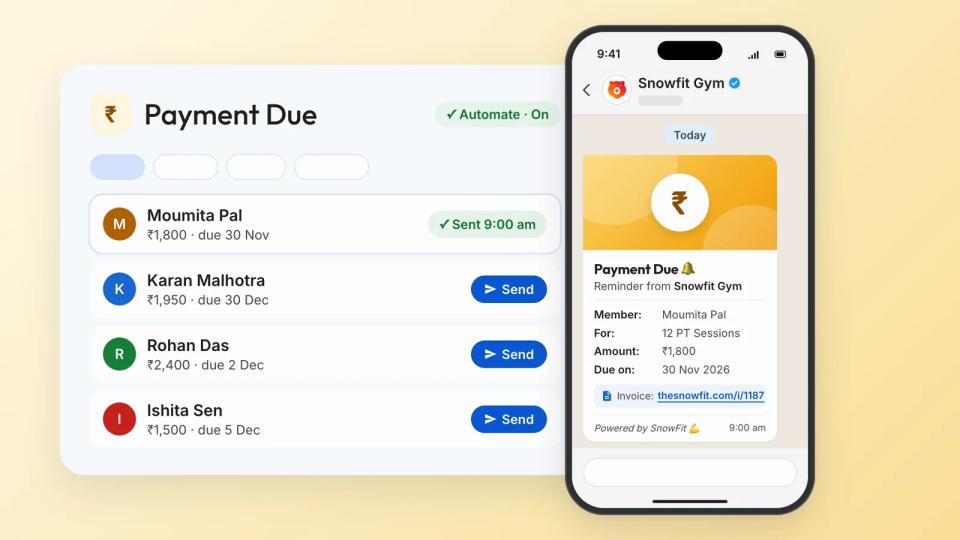
With Send one by one, WhatsApp opens for each member with the message ready. You press send, come back, and SnowFit moves to the next person. Six reminders take about a minute this way, against the ten or fifteen it takes to look up each due in a register.
3. Welcome Member
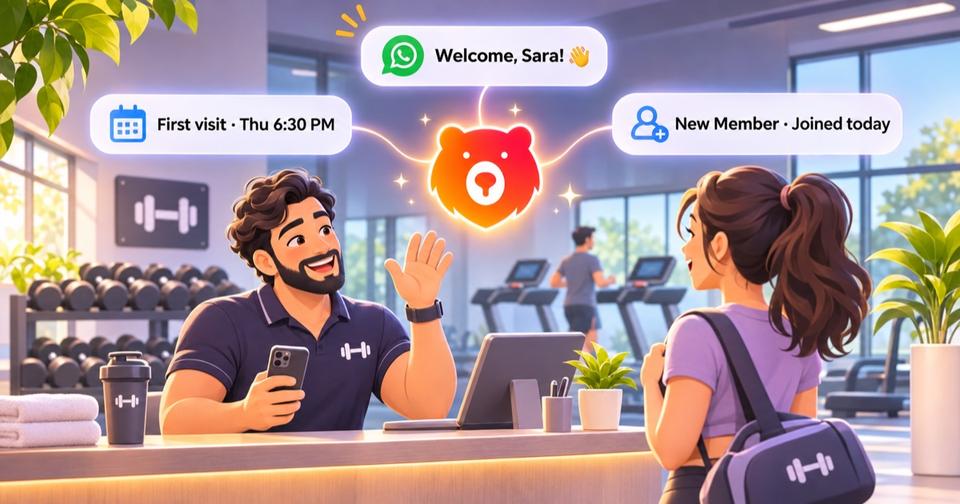
Every new member gets a WhatsApp on the day they join, at the time you pick. The message confirms their plan ("Your Basic Plan · 1 month is active") and asks them to show it at the front desk on their first visit, so the trainer on shift knows who they are.
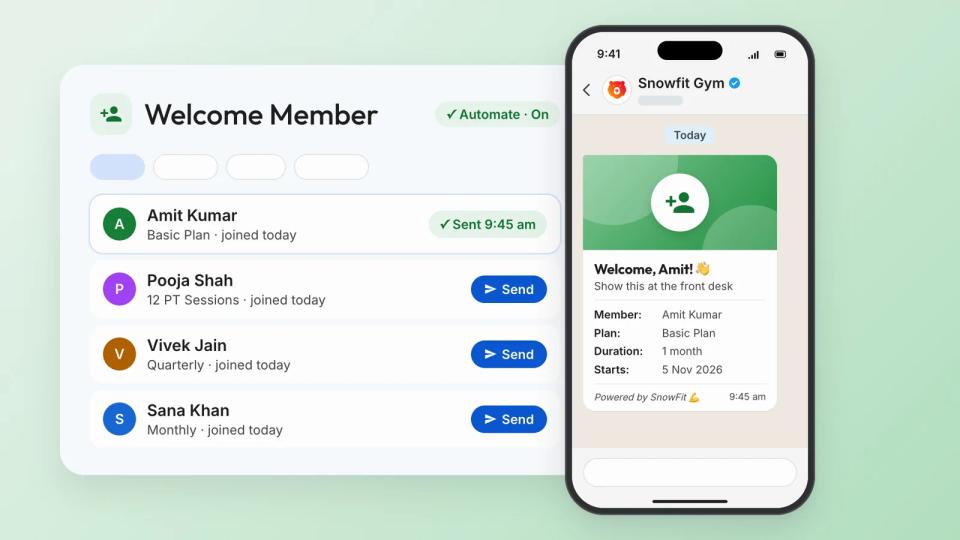
It's a small thing. But the first week is when a new member decides whether this is their gym, and a message that arrives on day one, with their name and plan in it, tells them someone noticed.
4. Birthday Wish
Birthday Wish shows whose birthday is today, tomorrow or in the next seven days. Send to everyone at once, or one at a time.
Brain also suggests a birthday gift: 15% off the member's next renewal, valid for 30 days. Leave it on and SnowFit makes a one-use coupon in Coupons for each person you message, and adds the code to their wish.
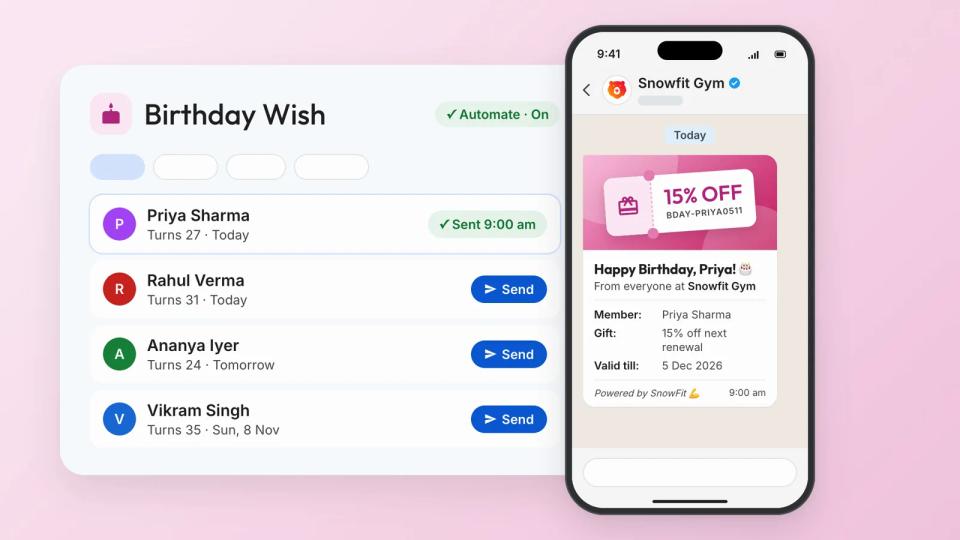
We like this one more than we expected to. A birthday message is one of the few messages from a gym that nobody minds getting, and the coupon gives it a reason to turn into a renewal.
The History tab keeps a record by date, with how many messages and coupons went out, so you can resend if a member says they didn't get it.
5. Re-engage Members
Re-engage Members finds the people who haven't visited recently, which is the list most gyms never make because it means going through the register name by name. Send them a short "we miss you" message, with an offer if you want to give them a reason to come back this week.
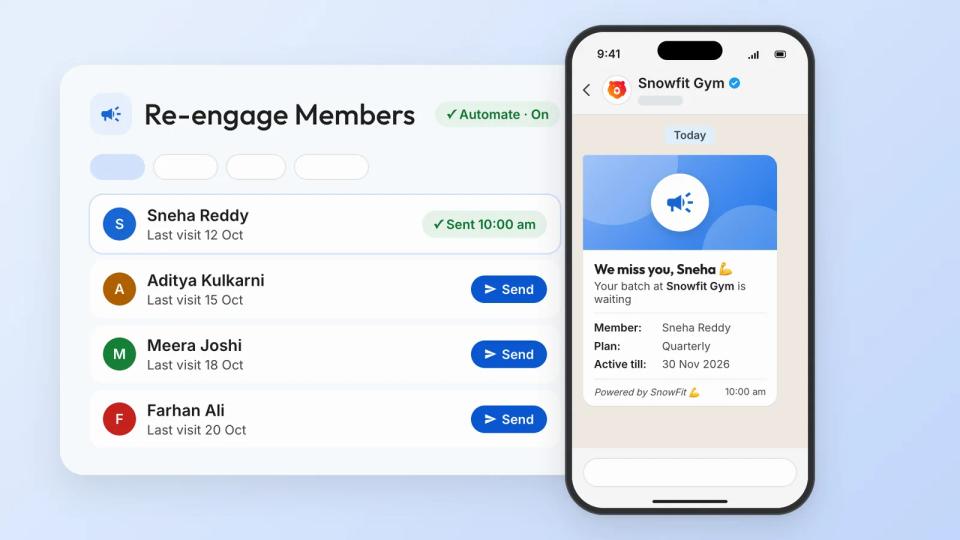
Of the five, this one takes the most judgement. Someone who stopped coming because of an exam or a wedding needs a different message from someone who quietly gave up, so read the list before you send to all of it.
What's the catch?
Fully automatic sending starts when WhatsApp Business is connected to SnowFit. Until then, your settings are saved and the Send tab has every message ready for you to send yourself, in one tap.
So on day one, someone at the desk still presses send. It's still much quicker than typing, because the names, amounts, dates and coupon codes are already filled in. Once WhatsApp Business is connected, the messages go out at the time you chose without anyone opening the app.
The other thing worth knowing: automations are only as good as the dates behind them. If plan end dates were imported wrong from an old register, the renewal reminders will be wrong too. Spend ten minutes in the first week checking a few members' plans.
How to set up gym automation in SnowFit
- Open Brain from the left menu.
- Pick an automation. Start with Renewal — 3 Days.
- Open the Automate tab and switch on Send automatically. Choose a send time; the list moves in 15-minute steps.
- Read the message on the right. That's exactly what the member will see on WhatsApp.
- Check History after a few days to see who got what, and switch on the next automation.
Frequently asked questions
What is gym automation?
Gym automation is software sending a gym's routine messages for it: renewal reminders, fee reminders, welcome messages and birthday wishes. In SnowFit you switch each one on in Brain, choose a time, and it goes out to members on WhatsApp every day.
Which gym tasks should I automate first?
Start with renewal reminders. They bring money in directly, and the 7-day and 3-day reminders together catch most of the members who would otherwise let a plan lapse. Payment Due is a good second.
Can SnowFit send WhatsApp messages without anyone pressing send?
It can, once WhatsApp Business is connected. Before that, SnowFit prepares every message and you send it yourself in one tap from the Send tab.
Will members find automated messages annoying?
Only if they're useless or too frequent. A reminder three days before a plan ends, a welcome on day one and a birthday wish are messages members expect from their gym. Keep promotional broadcasts rare.
Do automations cost extra in SnowFit?
No. Brain and its automations are part of SnowFit, which is free to use for Indian gyms and studios.
Other automations in SnowFit Brain
The five above save the most time, but Brain has a few more cards. They're worth switching on once the first five are running smoothly.
- Ask for Feedback collects what members think of the gym, so you hear about a broken treadmill or a rude trainer before it turns into a cancellation.
- Daily Snapshot. The gym's key numbers for the day.
- Weekly Snapshot gives you an overview of the week's performance and activity. For many owners it replaces the half hour spent adding up collections on a Sunday.
- Renewal — 7 Days and Membership Expired sit next to the 3-day reminder and work with it, as described in the first automation.
The bottom line
You don't need to switch on all five this week. Turn on the two renewal reminders, leave the rest, and look at History on Saturday. If it saved your desk an hour, switch on Payment Due next. Start using SnowFit free.